
Gate App offers Android users access to thousands of crypto markets, but installation methods and security risks vary by region and device. Here's what U.S. users and global traders need to know before downloading the APK
For Android users seeking mobile access to Gate.com's cryptocurrency exchange, the official Gate App is available through both Google Play and direct APK download. While the Play Store route is familiar to most U.S. users, the APK option is often necessary for those in regions where the app is not listed, or for devices-such as many Huawei, OPPO, or Vivo models-that lack Google Play Services. Understanding the differences between these installation methods, as well as the associated security and regulatory risks, is essential for anyone managing digital assets on the go.
Gate App Features
The Gate App serves as the mobile interface for Gate.com, a global exchange that claims to support over 55 million users since its launch in 2013. The app provides access to more than 4,700 cryptocurrencies, including spot trading, futures with up to 125x leverage, margin trading, staking and yield products, fast crypto conversion, and fiat on-ramps through Gate Pay. Additional features include copy trading, AI trading bots, a Web3 wallet, and access to tokenized stocks and ETFs using USDT. OTC and P2P services are also available for users seeking alternative execution or local fiat transactions. Not all features are available in every jurisdiction, and some products may be restricted for U.S. users due to regulatory requirements.
APK vs. Google Play Installation
Both the APK and Google Play versions of the Gate App offer the same core functionality, but the installation process and update mechanisms differ. Downloading the APK directly from Gate.com bypasses regional Play Store restrictions and does not require Google Play Services, making it suitable for users in unsupported regions or on devices without Google infrastructure. However, APK installation requires manual permission changes and places the burden of verifying the file's authenticity on the user. Google Play installations benefit from automatic updates and Google Play Protect scanning, but may not always provide the latest release immediately due to review cycles. Regardless of method, downloading from unofficial sources or social media links exposes users to significant security risks, especially when managing crypto assets.
Installation and Security Steps
Before installing the Gate App APK, users should confirm their device runs Android 7.0 or higher and supports arm64-v8a or armeabi-v7a architectures. Sideloading the APK requires enabling installation from unknown sources, a process that varies by Android version and device manufacturer. For example, Samsung, Huawei, OPPO, Vivo, and Xiaomi phones each have unique security settings that may block or restrict APK installation. Gate.com provides device-specific guidance, including workarounds such as temporarily enabling Airplane Mode on certain models to bypass installation blocks. After installation, users are advised to disable unknown-source permissions to restore device security boundaries.
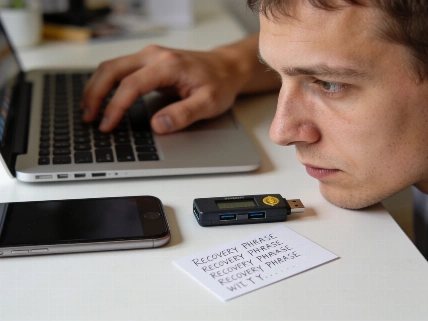
Account setup on the Gate App involves registering with an email or phone number, completing KYC identity verification, and configuring multi-layer security features such as two-factor authentication, fund passwords, withdrawal address whitelists, and anti-phishing codes. Funding options include crypto transfers and, where available, fiat deposits via Gate Pay. Users should be aware that regional restrictions may limit access to certain products or deposit methods.
Updating and Troubleshooting
Unlike Google Play installations, APK users must manually update the Gate App to receive new features and security patches. Updates can be checked in-app (if Google Services are present) or by downloading the latest APK from Gate.com and installing it over the existing version. Common installation issues include security setting blocks, incomplete downloads, insufficient storage, or app crashes on older or unsupported devices. Gate.com recommends verifying the APK file size before installation and using only official download links. For persistent problems, users can contact Gate's support channels with device and system details to expedite troubleshooting.
According to Gate.com, the app's APK file size increases with each release as new features are added. As of the latest update, users are instructed to check the current file size on the official download page before proceeding, as outdated guides may reference smaller, obsolete versions.
Gate.com does not guarantee global availability of all services. U.S. users, in particular, should review the platform's terms and local regulatory requirements before using the app, as certain trading products, fiat on-ramps, or tokenized stock features may be restricted or unavailable in the United States.
Gate.com reports that its mobile app supports over 4,700 cryptocurrencies and more than 600 perpetual futures pairs as of June 2024. The company claims spot and derivatives trading volumes in the billions of dollars daily, though these figures are self-reported and may not reflect independent third-party data. The APK file size has grown to over 100 MB in recent releases, reflecting expanded features and security updates. Users are advised to verify the latest version and file size on the official Gate.com download page before installation.
Direct APK installation of crypto exchange apps like Gate App highlights the trade-offs between accessibility and security in the mobile crypto ecosystem. While sideloading can provide access in regions or on devices where the Play Store is unavailable, it also increases the risk of malware, phishing, or compromised files if users do not strictly verify the source. For U.S. users, regulatory restrictions may further limit which features are accessible, and using unofficial APK sources can expose funds to theft or loss. As mobile crypto trading grows, understanding these risks and following best practices for installation and account security remains critical for protecting digital assets.