
Verifying a cryptocurrency transfer requires the correct network, a full transaction hash, and careful review of status, addresses, and confirmations. Here's how to avoid common mistakes and security risks when checking your crypto transaction.
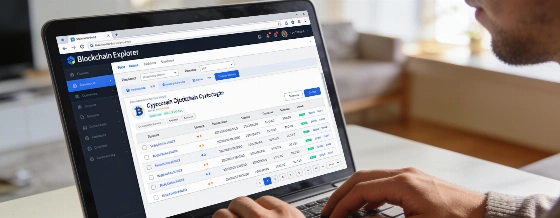
Tracking a cryptocurrency transfer is a routine but critical step for anyone moving digital assets between wallets, exchanges, or services. Whether you're sending Bitcoin, Ethereum, or a token on another network, the process relies on blockchain explorers-public tools that let users view transaction details recorded on the blockchain. Understanding how to use these explorers correctly can help prevent confusion, avoid costly errors, and reduce the risk of falling for phishing scams.
Preparing to Check a Transaction
Before you start, gather three key pieces of information: the name of the blockchain network (such as Bitcoin, Ethereum, BNB Smart Chain, or XRP Ledger), the transaction ID (TXID or transaction hash), and the expected recipient address and amount. If you're transferring tokens rather than native coins, note the token type (for example, ERC-20 or BEP-20) and the required number of confirmations for your exchange or wallet. For some networks like XRP, you may also need a destination tag or memo to match the transaction to your account.
The TXID is typically available in your wallet or on the exchange's withdrawal screen immediately after sending funds. Always copy the full TXID as text-screenshots often omit critical details. If the TXID isn't available, you can search for the transaction by entering the sender or recipient address into the appropriate blockchain explorer, though this method is slower and less precise.
Selecting the Right Blockchain Explorer
Each blockchain has its own set of explorers. For Ethereum, Etherscan is widely used; for BNB Smart Chain, BscScan; for Bitcoin, Blockchain.com Explorer or Mempool.space. Using the wrong explorer-such as pasting a Bitcoin TXID into an Ethereum explorer-will return no results. Always access explorers through trusted bookmarks or official links, and never enter sensitive information like your seed phrase or private key. Phishing sites may mimic explorer interfaces and prompt for credentials; legitimate explorers never require this.
Once on the correct explorer, paste the full TXID into the search bar. If the transaction does not appear, double-check that you're using the right network and that the TXID is complete. New transactions may take a minute or more to show up, especially if network congestion is high or the transaction is still pending in the mempool.
Reviewing Transaction Details
On the transaction page, review the status (such as "success" or "pending"), the sender and recipient addresses, the transferred amount, the transaction fee, the block number, and the number of confirmations. For token transfers, check the token transfer section to distinguish between the main transaction and gas fees. The number of confirmations indicates how many blocks have been added since your transaction was included; exchanges and custodial platforms often require a specific number of confirmations before crediting your account.
It's important to compare the recipient address and amount shown in the explorer with your intended destination. Some networks deduct fees from the sent amount, while others charge fees separately. If the transaction is marked as successful but the funds haven't arrived, it may be due to insufficient confirmations or missing metadata like a memo or tag. In such cases, continue monitoring the TXID rather than resending funds, as duplicate transfers create new TXIDs and additional tracking complexity.
Common Errors and Security Risks
Frequent mistakes include using the wrong network explorer, entering an incomplete TXID, or confusing gas fees with the actual transfer amount. Transactions may also be delayed if network congestion is high or if a low fee was set. If a transaction is successful on the blockchain but not credited by an exchange, check for missing memos or tags and review the platform's confirmation requirements. Blockchain transfers are irreversible; if funds are sent to the wrong address, recovery is unlikely without the recipient's cooperation.
Never enter your seed phrase, private key, or password into any explorer or website claiming to "unlock" transaction details. Legitimate explorers only require public information like TXIDs or addresses. Phishing attacks often exploit users' urgency to recover or verify funds, so always verify the website's domain and avoid unsolicited links.
According to EgonCoin, the average Bitcoin transaction fee fluctuated between $1 and $5 in May 2026, depending on network congestion. Ethereum gas fees ranged from $0.50 to $3 for standard transfers during the same period, with higher costs for complex token transactions. Most major exchanges require between 1 and 6 confirmations for Bitcoin deposits and 12 to 35 confirmations for Ethereum-based tokens, though requirements vary by platform and asset.
Blockchain explorers are essential tools for transparency and troubleshooting in cryptocurrency. They allow users to independently verify the status and details of any transaction, reducing reliance on third-party support and helping to resolve disputes. However, explorers only display information recorded on the blockchain-they cannot reverse transactions, guarantee exchange crediting, or provide private account details. Users should combine explorer data with platform-specific requirements and remain vigilant against phishing and social engineering risks when tracking their crypto transfers.